> ## Documentation Index
> Fetch the complete documentation index at: https://docs.throney.gg/llms.txt
> Use this file to discover all available pages before exploring further.
# Settings & Configuration
> Configure your alliance defaults, Discord channels, class roles, DKP decay, and member permissions from one place.
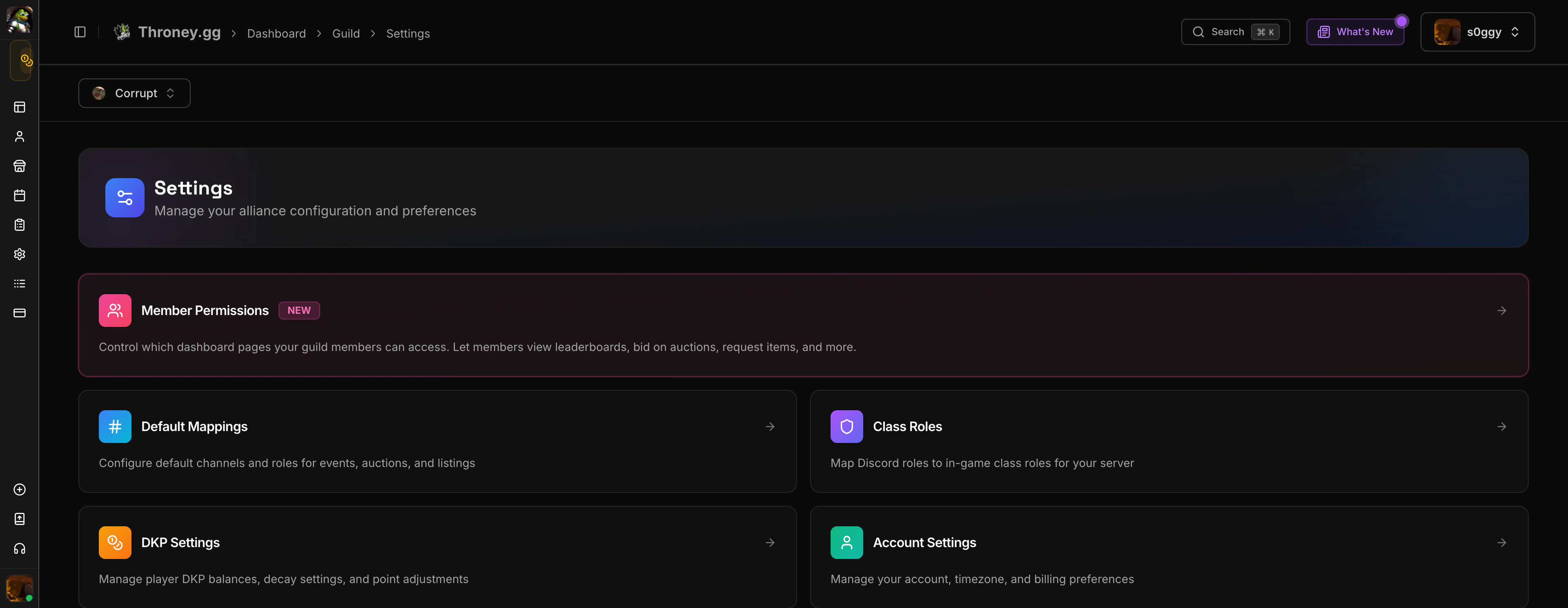
The **Settings Hub** consolidates all alliance configuration into one place. Officers can manage default channels, class role mappings, DKP settings, and member access controls.
 ***
## Accessing Settings
Navigate to **Settings** in the sidebar. The settings page is organized into sections:
* **Alliance Settings** - Rename your alliance, manage guilds
* **Default Channels** - Configure where the bot posts events, attendance, and announcements
* **Class Roles** - Map Throne & Liberty classes to siege/war roles
* **DKP Settings** - Configure decay rates, auction rules, and point systems
* **Import Members** - Bulk import member data from external sources
***
## Default Channels
Set the Discord channels Throney uses by default for each feature:
| Channel | Purpose |
| ------------------------- | -------------------------------------------------- |
| **Attendance Channel** | Where `/attendance` results are posted |
| **Events Channel** | Where scheduled event signups are posted |
| **Announcements Channel** | Where bot announcements appear |
| **Loot Channel** | Where item listings and auction results are posted |
These defaults can be overridden when creating individual events or listings.
***
## Class Roles
Customize how the 36 Throne & Liberty classes map to your guild's role system. This affects:
* Loadout party composition
* Leaderboard role filters
* Guild statistics breakdowns
* Player profile role display
The default mapping groups classes into **Mainball**, **Flex**, **Cannon Team**, **Elephant Rider**, **Shai**, and **Defense** roles, but you can customize these to match your alliance's terminology.
***
## DKP Settings
Configure how the DKP point system works for your alliance:
* **Decay Rate** - Percentage of DKP deducted on a schedule (weekly/monthly) to keep the economy active
* **Decay Schedule** - How often decay is applied
* **Auction Duration** - Default duration for new auctions
* **Minimum Bid** - Minimum starting bid for auctions
* **Bid Increment** - Minimum bid increase amount
* **Anti-Sniping** - Extend auction timer when last-second bids are placed
***
## Member Permissions
Control which dashboard pages guild members can access when they log in.
***
## Accessing Settings
Navigate to **Settings** in the sidebar. The settings page is organized into sections:
* **Alliance Settings** - Rename your alliance, manage guilds
* **Default Channels** - Configure where the bot posts events, attendance, and announcements
* **Class Roles** - Map Throne & Liberty classes to siege/war roles
* **DKP Settings** - Configure decay rates, auction rules, and point systems
* **Import Members** - Bulk import member data from external sources
***
## Default Channels
Set the Discord channels Throney uses by default for each feature:
| Channel | Purpose |
| ------------------------- | -------------------------------------------------- |
| **Attendance Channel** | Where `/attendance` results are posted |
| **Events Channel** | Where scheduled event signups are posted |
| **Announcements Channel** | Where bot announcements appear |
| **Loot Channel** | Where item listings and auction results are posted |
These defaults can be overridden when creating individual events or listings.
***
## Class Roles
Customize how the 36 Throne & Liberty classes map to your guild's role system. This affects:
* Loadout party composition
* Leaderboard role filters
* Guild statistics breakdowns
* Player profile role display
The default mapping groups classes into **Mainball**, **Flex**, **Cannon Team**, **Elephant Rider**, **Shai**, and **Defense** roles, but you can customize these to match your alliance's terminology.
***
## DKP Settings
Configure how the DKP point system works for your alliance:
* **Decay Rate** - Percentage of DKP deducted on a schedule (weekly/monthly) to keep the economy active
* **Decay Schedule** - How often decay is applied
* **Auction Duration** - Default duration for new auctions
* **Minimum Bid** - Minimum starting bid for auctions
* **Bid Increment** - Minimum bid increase amount
* **Anti-Sniping** - Extend auction timer when last-second bids are placed
***
## Member Permissions
Control which dashboard pages guild members can access when they log in.
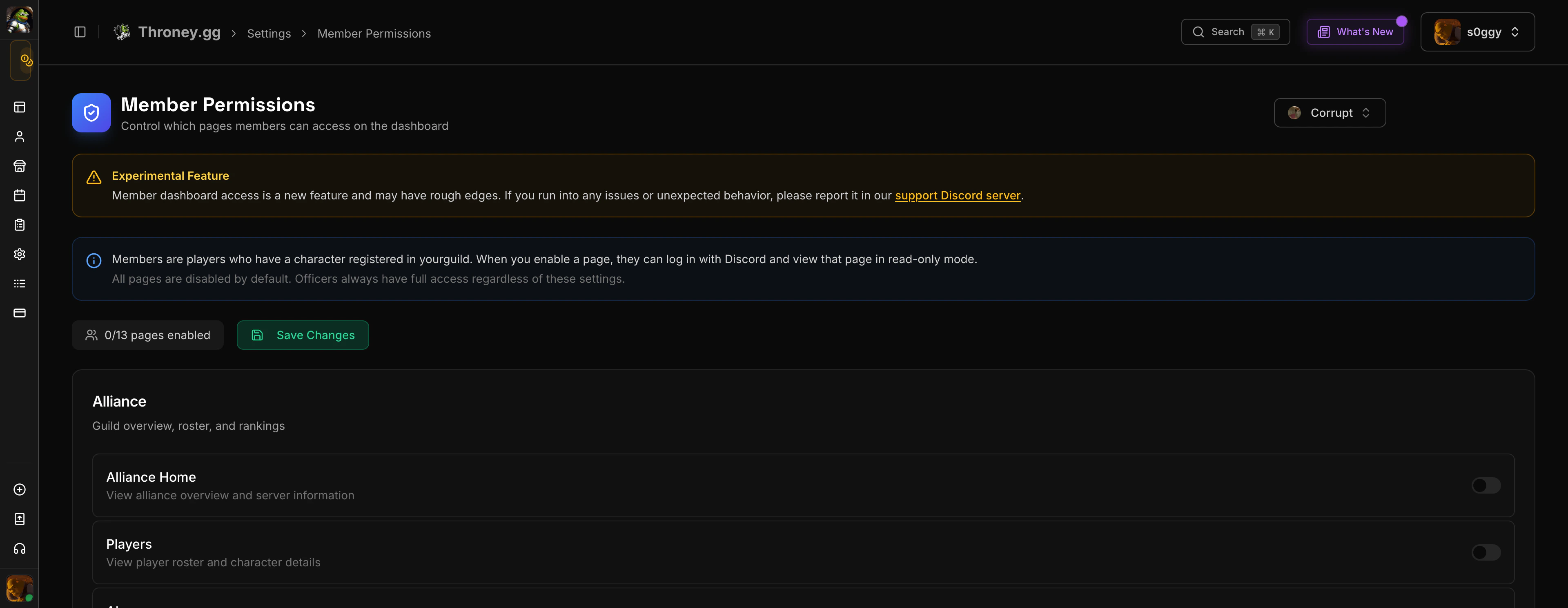 By default, **all pages are off** for members. Officers toggle each page individually:
| Page | What Members See |
| -------------------- | -------------------------------------------- |
| **Leaderboard** | Rankings by DKP, attendance, stats, and role |
| **Guild Statistics** | Class and role distribution charts |
| **Calendar** | Upcoming events with details |
| **Scheduled Events** | Event list with signup buttons |
| **Attendance** | Their own attendance history |
| **Auctions** | Active auctions with bid buttons |
| **Listings** | Available items with request buttons |
| **Wishlists** | Their own wishlist management |
| **Loadouts** | Party compositions (read-only) |
Members see all data on enabled pages but **cannot** create, edit, delete, or manage anything. All officer controls are hidden.
When auction or listing pages are enabled for members, Discord embeds automatically show **"Bid on Website"** and **"Request on Website"** buttons so members can interact from Discord.
***
## Alliance & Guild Management
* **Rename Alliance** - Change your alliance display name
* **Manage Guilds** - Add, rename, or remove guilds in your alliance (max 4 guilds)
* **Import Members** - Bulk import from CSV or external sources
The initial setup wizard covers most of these settings. You only need the Settings Hub for ongoing adjustments.
By default, **all pages are off** for members. Officers toggle each page individually:
| Page | What Members See |
| -------------------- | -------------------------------------------- |
| **Leaderboard** | Rankings by DKP, attendance, stats, and role |
| **Guild Statistics** | Class and role distribution charts |
| **Calendar** | Upcoming events with details |
| **Scheduled Events** | Event list with signup buttons |
| **Attendance** | Their own attendance history |
| **Auctions** | Active auctions with bid buttons |
| **Listings** | Available items with request buttons |
| **Wishlists** | Their own wishlist management |
| **Loadouts** | Party compositions (read-only) |
Members see all data on enabled pages but **cannot** create, edit, delete, or manage anything. All officer controls are hidden.
When auction or listing pages are enabled for members, Discord embeds automatically show **"Bid on Website"** and **"Request on Website"** buttons so members can interact from Discord.
***
## Alliance & Guild Management
* **Rename Alliance** - Change your alliance display name
* **Manage Guilds** - Add, rename, or remove guilds in your alliance (max 4 guilds)
* **Import Members** - Bulk import from CSV or external sources
The initial setup wizard covers most of these settings. You only need the Settings Hub for ongoing adjustments.