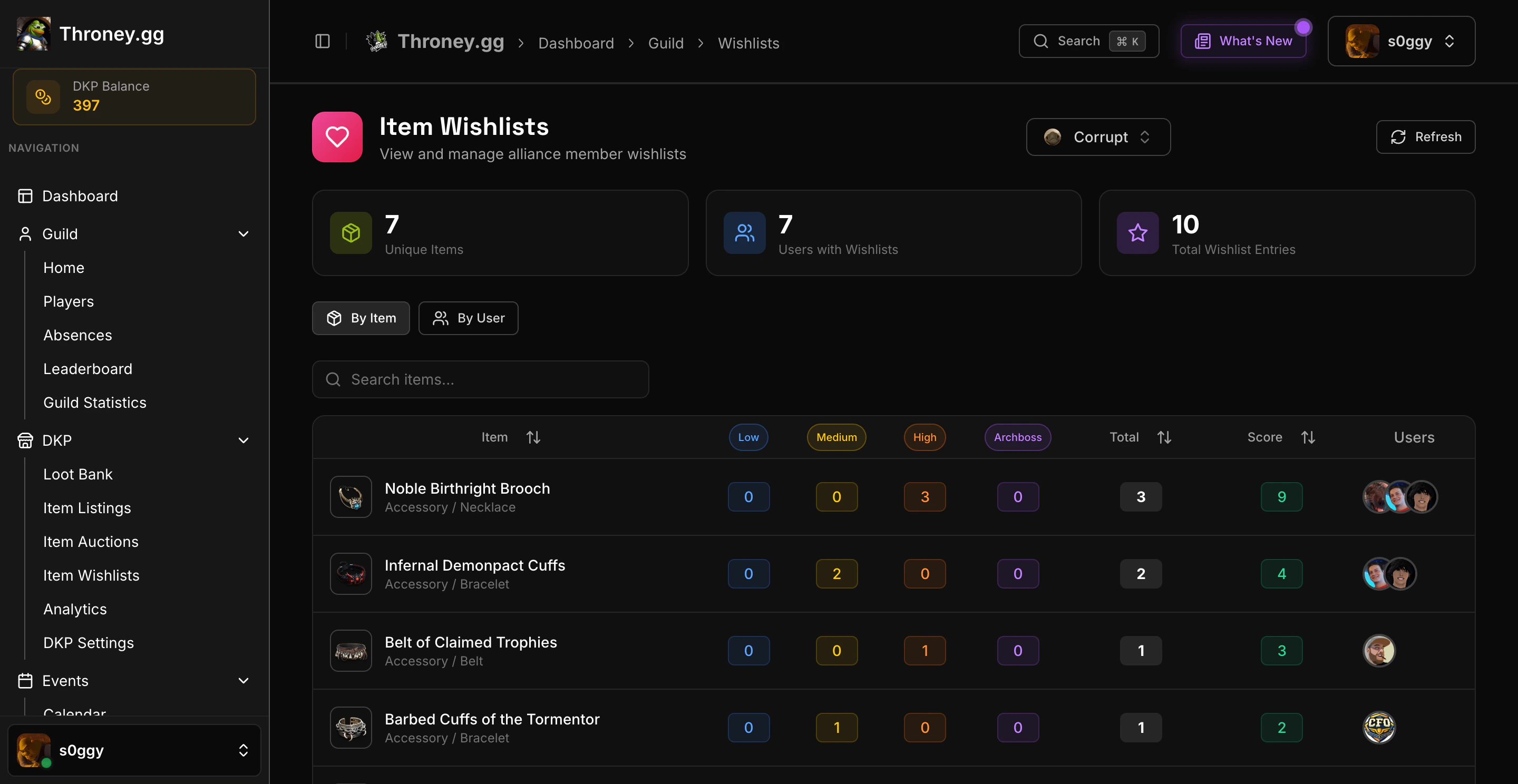
📌 How Wishlists Work
Members can add items to their wishlist with one of four priority levels:- Low – Nice to have
- Medium – Would like this item
- High – Strongly desired upgrade
- Archboss – Top priority, essential item
🛠️ Managing Your Wishlist
Adding Items
- Navigate to DKP → Wishlists on the dashboard
- Click “Add Item”
- Search for the item from the database
- Select your priority level
- Save the wishlist entry
Editing Priority
- Click on any wishlist item to change its priority
- Remove items you no longer need from the dashboard
Removing Items via Discord
Use the/removewishlist command to remove an item from your wishlist directly in Discord.
👑 Officer View
Officers can view all member wishlists to:- See who wants specific items
- Compare priority levels across members
- Make fair loot distribution decisions
- Remove individual items from a member’s wishlist if needed
Wishlist data is used alongside DKP balance when deciding item awards. Higher priority + higher DKP typically wins.
📋 Wishlist in Loot Distribution
When an item drops:- Officer posts item via DKP Item Listing
- Members react based on interest
- Officer checks who has the item on their wishlist
- Priority level + DKP balance determines winner
🎯 Best Practices
- Keep your wishlist updated as you get gear
- Use Archboss sparingly for truly essential items
- Remove items after receiving them
- Check class-appropriate items for your build