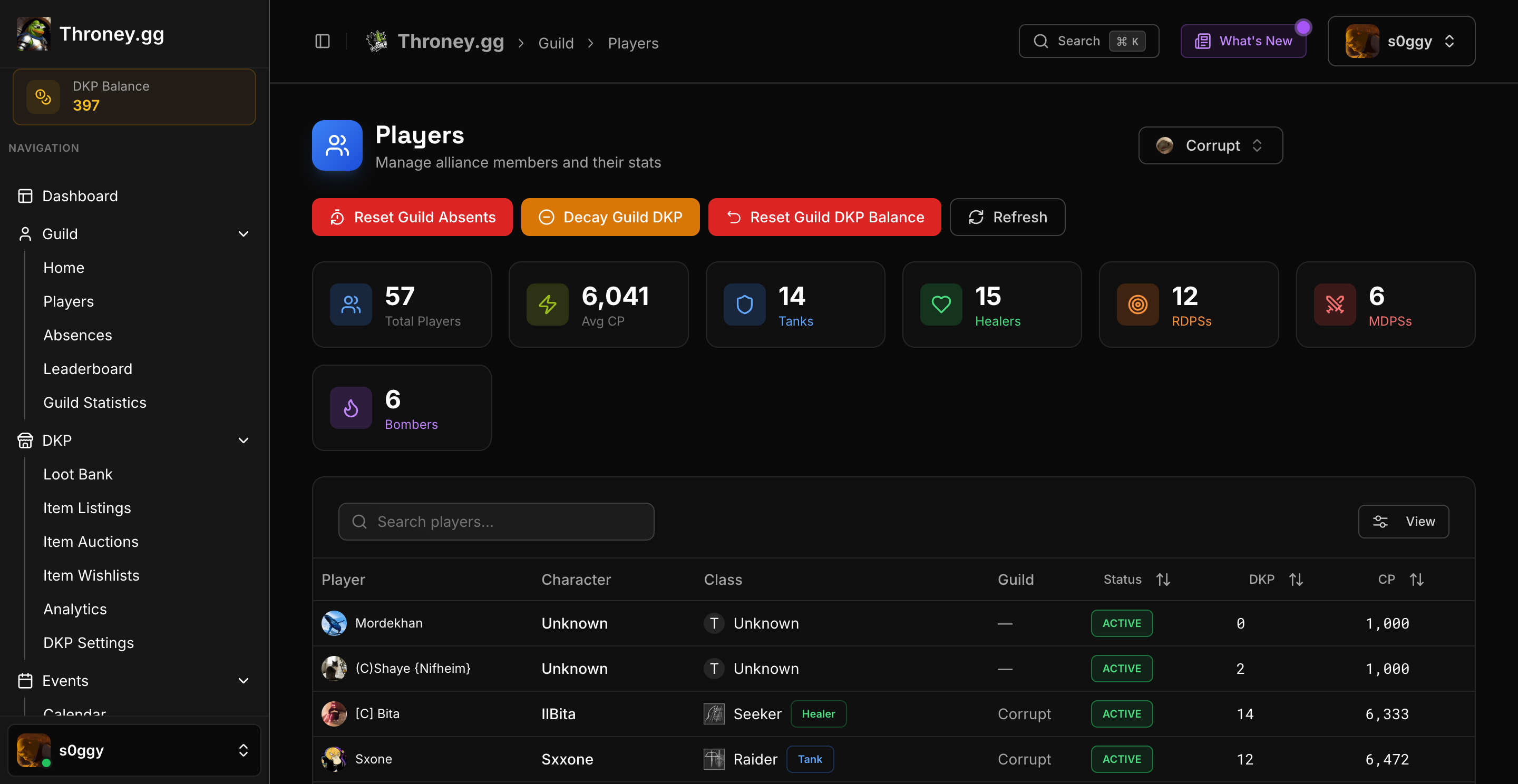
📊 Players Overview
Navigate to Management → Players to see all alliance members in a sortable, searchable table.Displayed Information
- Discord Name – Member’s Discord identity
- Characters – Linked in-game characters
- Gear Score – Current gear level
- DKP Balance – Available points
- Events Attended – Attendance count
- Last Active – Recent activity timestamp
🔍 Search & Filter
- Search by Name – Find specific players
- Filter by Role – Tank, Healer, MDPS, RDPS, Bomber
- Sort Columns – Click headers to sort by any field
👤 Individual Player Profiles
Click on any player to view their detailed profile:Profile Sections
Character Info- All linked characters
- Gear score per character
- Primary role/class
- Full transaction log
- Points earned from events
- Points spent on items
- Manual adjustments by officers
- Events attended with dates
- Event types breakdown
- Attendance percentage
- Items on their priority list
- Priority levels for each
- Interactive Combat Power chart showing history over time
- Click any data point for a full stat snapshot at that moment
- Delta comparisons between snapshots
- Last 5 attendance events and signup events the player participated in
- Direct links to each event page
🛠️ Officer Actions
From a player’s profile, officers can:- Adjust DKP – Add or subtract points manually
- View Full History – See all transactions
- Check Attendance – Review participation
- Review Wishlist – See their item priorities
All DKP adjustments create an audit trail visible in the player’s history with the reason provided.
📈 Bulk Management
The Players page supports:- Export to CSV – Download member data
- Bulk Selection – Select multiple members
- Quick Stats – Alliance-wide statistics summary